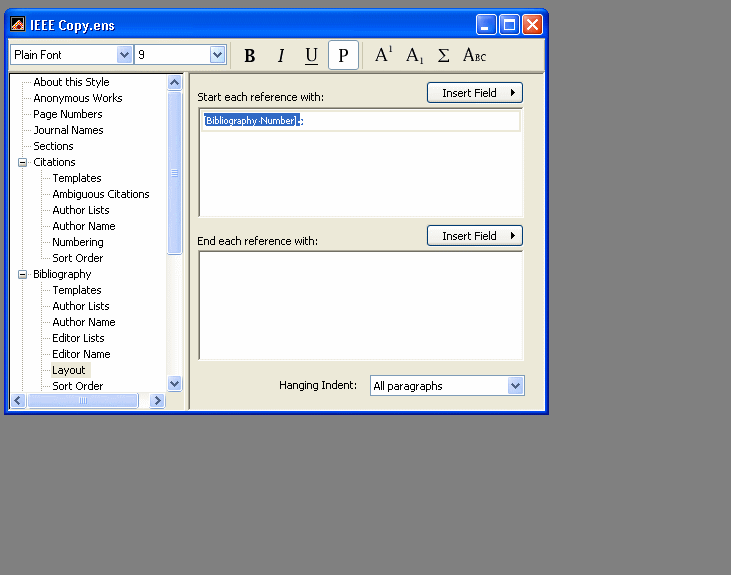
For the first question, At lease in EndnoteX4, you can modify the size of the number in the text under the styles citation template. Select the text and make “smaller” or select a size to apply. The same settings are available in the bibliography layout options in the edit outputstyle options (see Biobliography layout in style attachment).
For the spacing between refs, those settings are in the format Bibliography dialog, Layout tab. – Word’s Endnote tool, Format Bibliography, (change the style there to the modified IEEE style, which I recommend to be different than the original style, so you know you are selecting the correct one). The options in the layout tab are shown in the attached “format bibliography” attachment (EndnoteX4/Word2003).